VS Code & VSCodium extension

Your projectcommands,one clickaway.

Buttons finds the scripts already in your project and turns them into a command launcher inside VS Code and VSCodium.

Project commands such as pnpm dev, make build, composer test, just deploy, and npm run lint.

001 Discover

Automatic discovery

Use the scripts you already have.

Buttons scans the script files already in your project, including nested packages in a monorepo. Choose what belongs in your launcher and keep working.

How script scanning works

002 Surfaces

One launcher.Two surfaces.

The same project configuration, available as a compact sidebar or a full-width panel.

Buttons in VS Code switching between the Project scripts list and the full Buttons command table.
01 / Two viewsSidebar and editor, same commands.
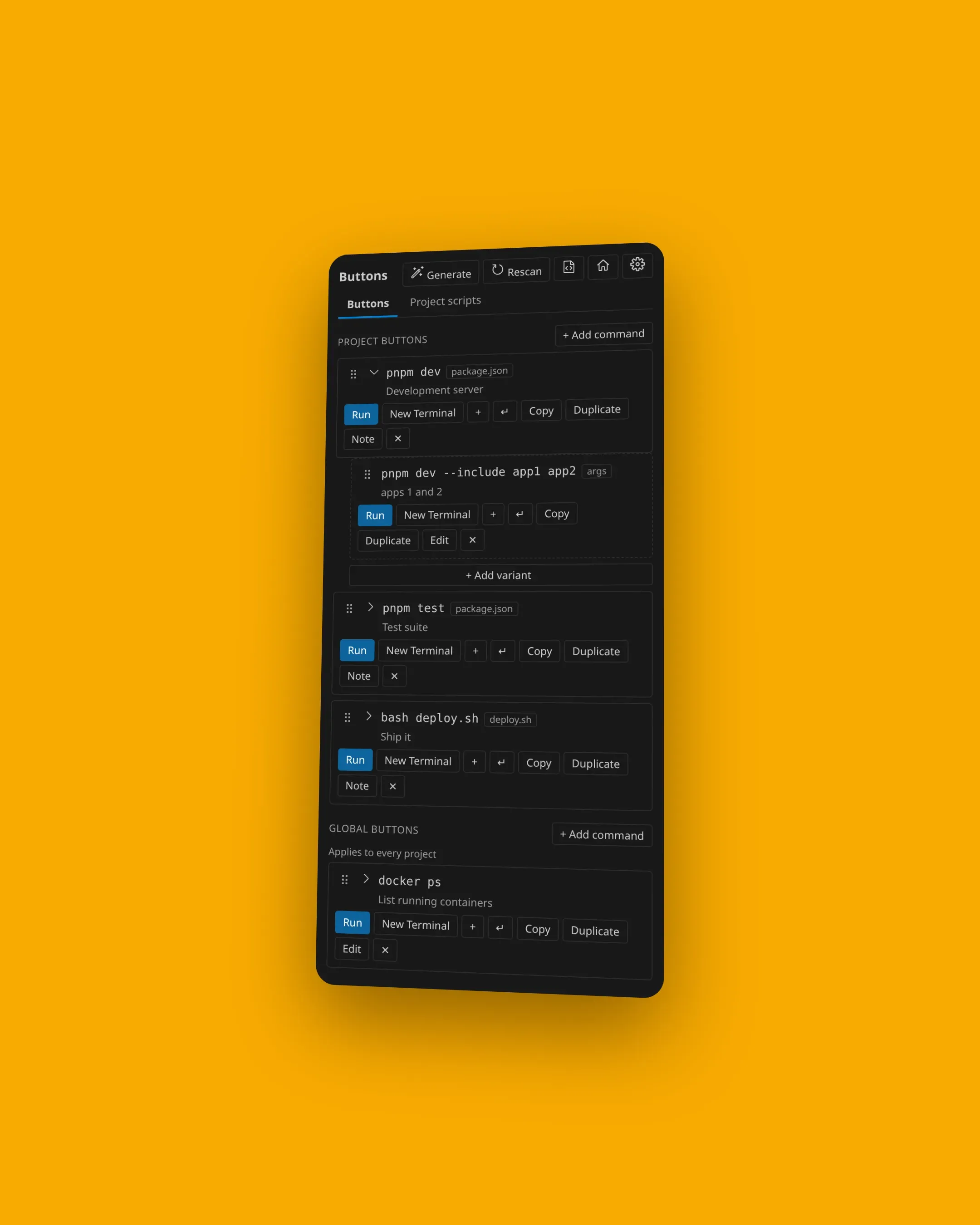
Buttons in the compact Activity Bar view, with project commands and a global docker ps command being added.
02 / Activity BarCompact. Always nearby.
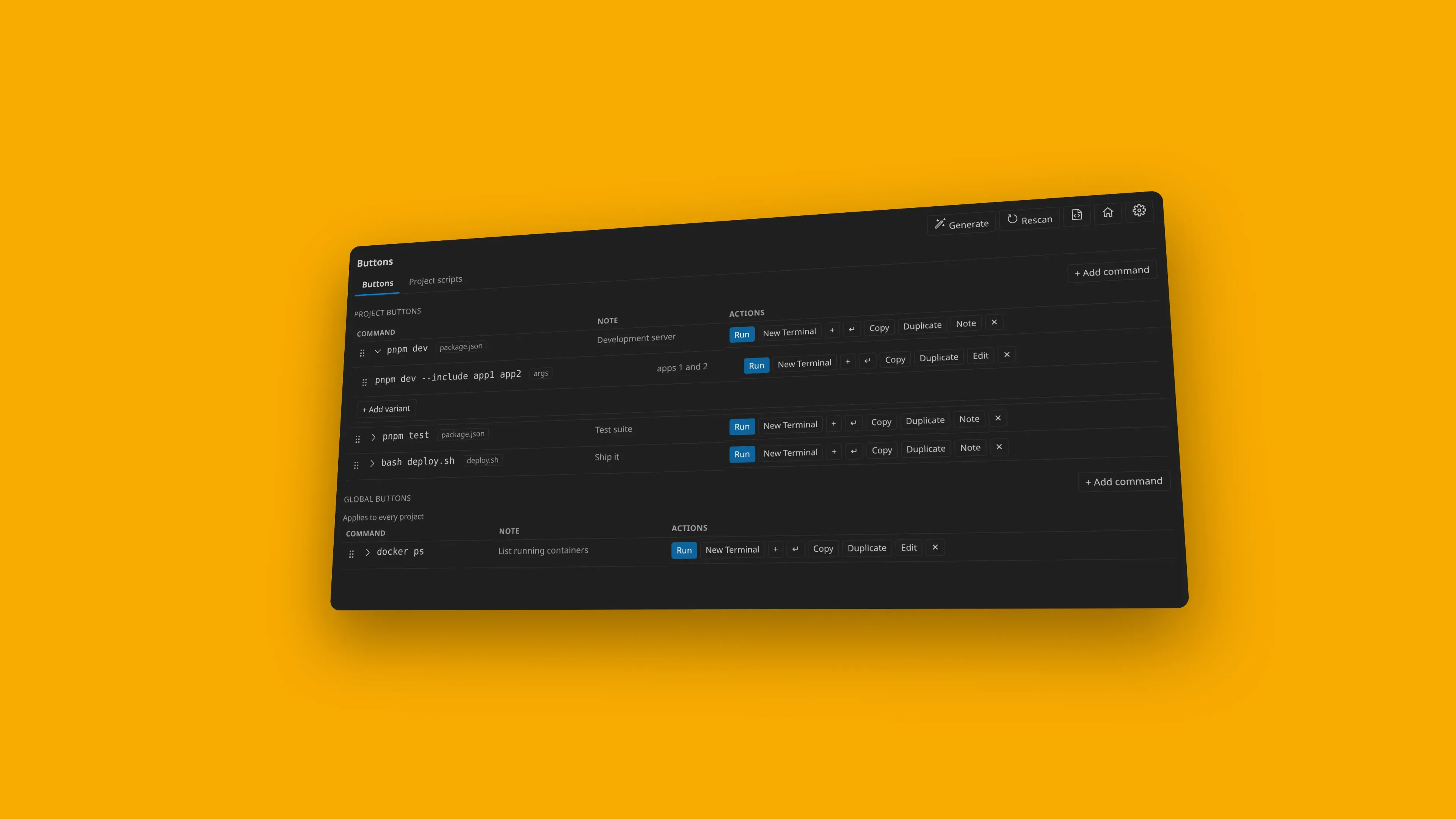
Buttons opened as a full-width editor panel showing project commands from package.json and a global docker ps command.
03 / Editor panelMore room when you need it.
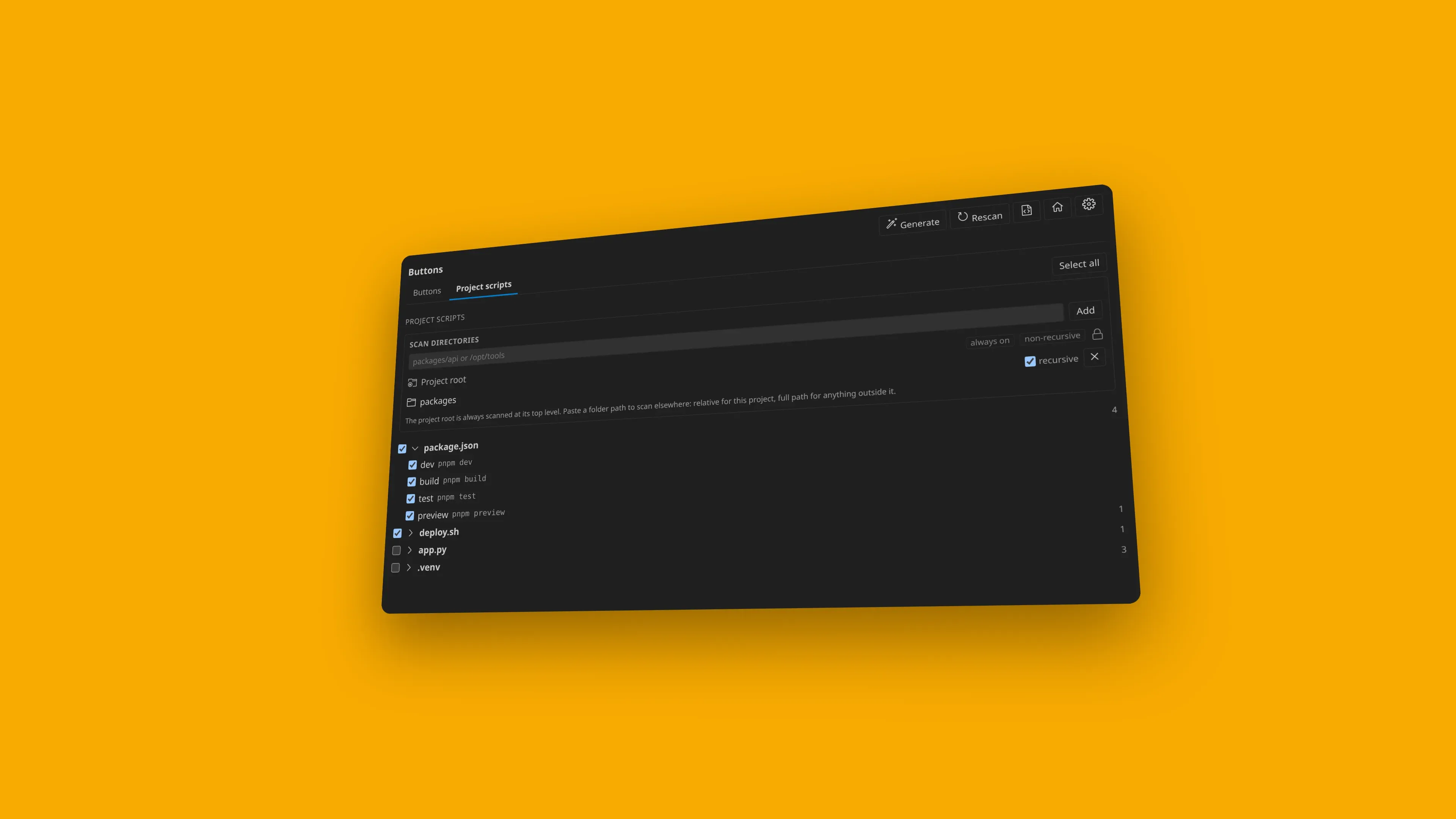
The Project scripts tab with checkboxes for npm run dev, build, preview, and deploy from package.json.
04 / Project scriptsChoose what belongs in the launcher.
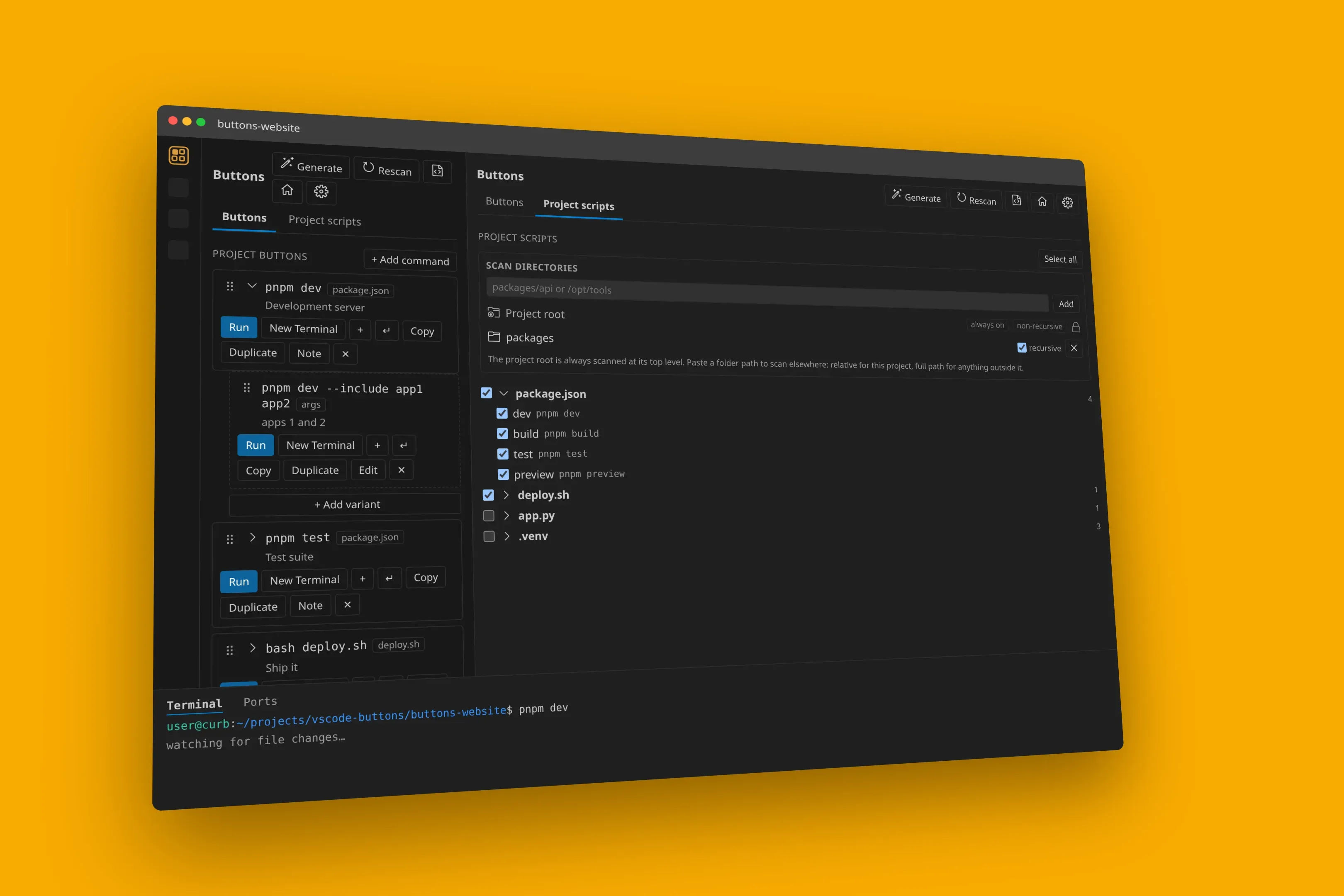
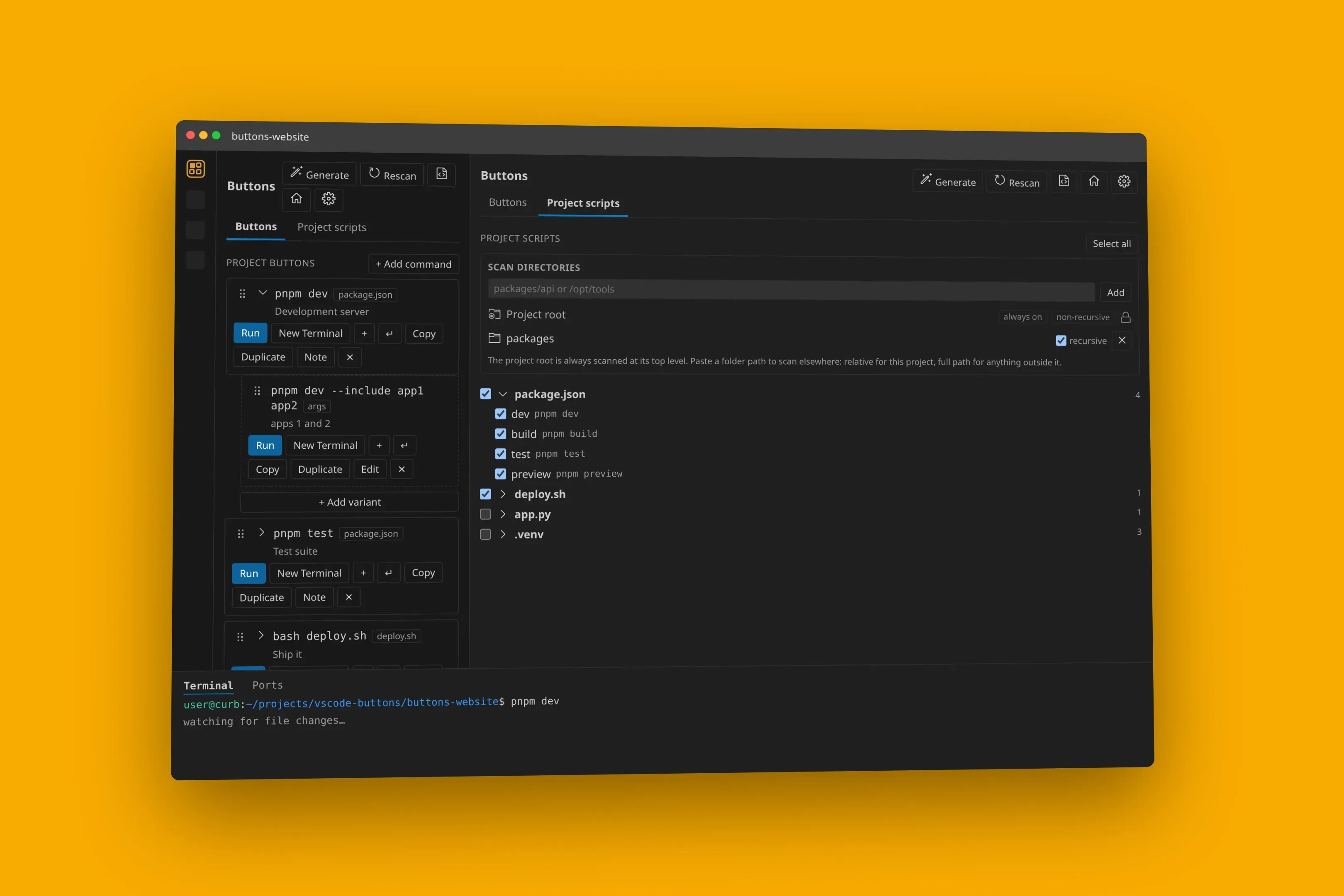
VS Code with Buttons in the Activity Bar sidebar and the Project scripts panel open, plus a Buttons: dev terminal.
05 / In the editorSidebar, panel, and terminal together.
The Buttons sidebar and Project scripts panel open together in a VS Code workspace, with a Buttons: dev terminal below.
06 / Full workspaceCommands stay in reach while you work.
VS Code with the Buttons sidebar listing npm scripts, the Project scripts panel open, and a Buttons: dev terminal.
Command row, in placeRun, new terminal, copy — next to the code.

003 Run

Run it. Copy it. Keep moving.

Use the current terminal, open a fresh one, or copy the command exactly as Buttons generated it.

devpnpm dev

Development server

New Terminal
$
watching for file changes…

004 Scope

Project + global

Scoped whereyou want it.

Keep commands with the project they belong to, or make them available across every workspace.

Project buttons

Commands for the current workspace, stored in.buttons.json at the project root.

Global buttons

Commands available across every workspace, stored in~/.buttons.json.

005 Nested

Nested project?No problem.

Nested package.json and composer.json files are discovered automatically. Each command runs in its own directory.

Monorepo scanning
project/
│
├── apps/
│   └── web/package.json         pnpm dev
│
├── packages/
│   └── api/package.json         pnpm start
│
└── plugin/
    └── composer.json            composer test

006 Start

Three steps.

  1. 01

    Install

  2. 02

    Generate

    Generate.buttons.json
  3. 03

    Run

    pnpm dev Run

007 Docs

Small extension.Proper documentation.

Installation, configuration, script discovery, .buttons.json, monorepos, commands and development — written as Markdown and kept alongside the project.

Explore the documentation
Open sourceMIT LicenseVS CodeVSCodiumGitHub

Scripts are alreadyyour interface.

Make them clickable.

MIT licensed · Open source · CurbSoftware